
1. Visit the Naviextras website
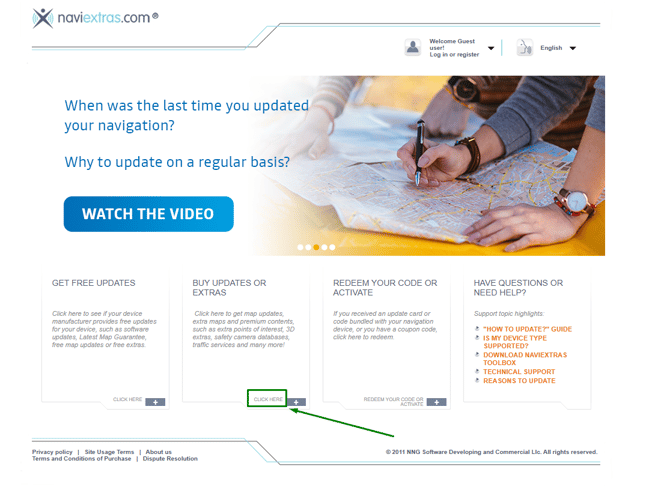
- Go to www.naviextras.com.
- Under BUY UPDATES OR EXTRAS, click CLICK HERE.
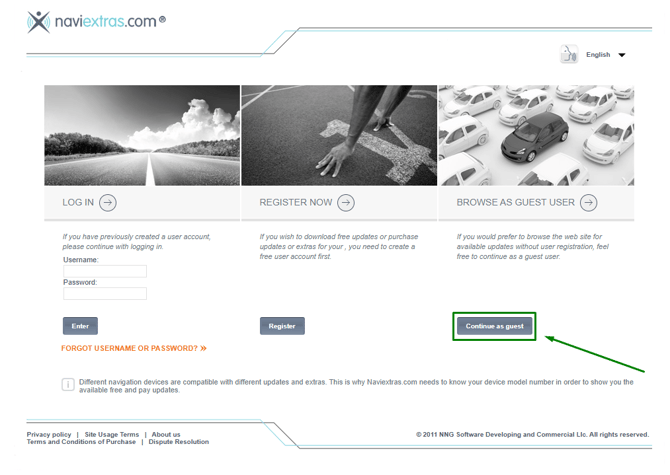
- Select Continue as guest.
2. Select your navigation system
- If the CHOOSE ANOTHER DEVICE section appears, click CHOOSE.
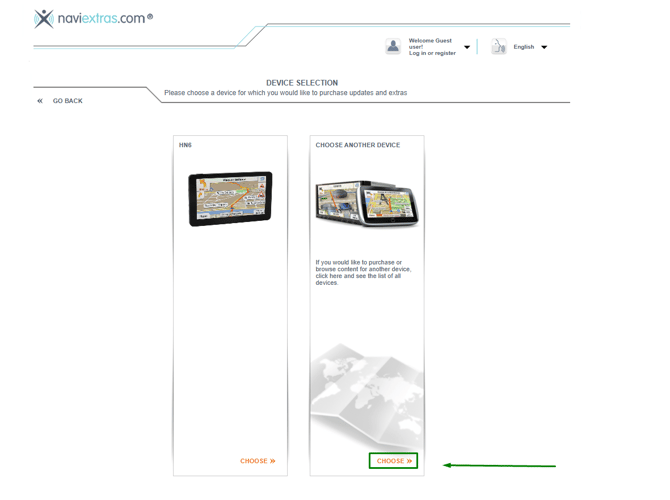
- Enter your navigation system's brand in the search bar.
- Select the brand from the list.
- Find and select your exact navigation system model.
3. Find the Toolbox download page
Once you have selected your navigation system:
- If the BUY UPDATES OR EXTRAS page appears again, click CLICK HERE to continue.
- Select Maps & More.
- Open the FREE UPDATES tab.
- Click the here link to access the Toolbox download page.
4. Download the correct Toolbox version
You will be directed to the download page for Toolbox 3 or Toolbox 4, depending on your selected navigation system.
Toolbox 3
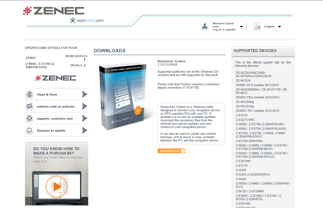
Toolbox 4
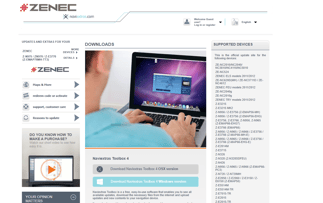
Download and install the version offered for your navigation system.
Important: Toolbox 3 and Toolbox 4 are not interchangeable. Always use the version recommended for your navigation system, even if a newer version is available.
Operating system compatibility
The two Toolbox versions support different operating systems:
- Toolbox 3: Windows only.
- Toolbox 4: Windows and macOS.
For more information, please see our article: How to check which operating systems are compatible with the Naviextras Toolbox.
Need help?
If you cannot find your navigation system or are unsure which Toolbox version to download, click the Contact us button at the top of the page for further assistance.
Please include the brand and exact model of your navigation system so we can help you find the correct version.